BSD
BSD (Branded Short Domain) Increase CTR by over 30%!
独自ドメインで無料のブランド短縮リンクを作成、またはPicSeeのドメインも選べます。Taobao(taobao.ec)、Shopee(sho.pe)、Taishin Bank(tsbk.tw)などの有名企業にも利用されています。


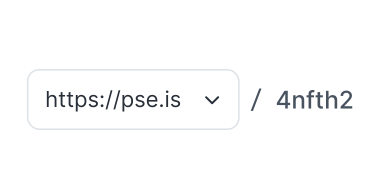
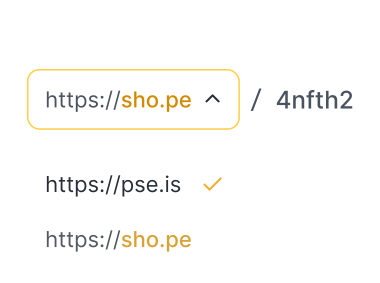

に使われる短縮URL
PicSeeは 800+ Branded short domainを作成し、平均して一日あたり 40K+ のブランドリンクを作成しています
金融機関、Eコマース、エンタメメディア、非営利団体もPicSeeのサービスをご利用いただいております!ソーシャル メディア、メール、広告であなたのブランドが見られます。
Why Use a BSD (Branded Short Domain)?
A BSD can increase customer trust, build brand image, and reduce the risk of misidentification.
Enhance Customer Trust, Boost Conversion Rates
Scam text messages often use short links, leaving recipients unsure whether clicking will lead to deception! However, "branded short links" create an expectation of official communication, statistically boosting conversion rate by over 30%!

'%3e%3cpath%20fill-rule='evenodd'%20clip-rule='evenodd'%20d='M55.3299%207C43.2002%207%2033.3672%2016.833%2033.3672%2028.9627V184.037C30.8306%20191.957%2021.065%20203.123%2014.0155%20205.822C13.85%20205.885%2015.018%20205.721%2017.1056%20205.426C21.4259%20204.816%2029.6849%20203.651%2038.2151%20202.802C42.2408%20207.801%2048.4118%20211%2055.3299%20211H325.151C337.281%20211%20347.114%20201.167%20347.114%20189.037V28.9627C347.114%2016.833%20337.281%207%20325.151%207H55.3299Z'%20fill='white'/%3e%3c/g%3e%3cdefs%3e%3cfilter%20id='filter0_d_0_2614'%20x='0.871153'%20y='0.435576'%20width='359.372'%20height='230.258'%20filterUnits='userSpaceOnUse'%20color-interpolation-filters='sRGB'%3e%3cfeFlood%20flood-opacity='0'%20result='BackgroundImageFix'/%3e%3cfeColorMatrix%20in='SourceAlpha'%20type='matrix'%20values='0%200%200%200%200%200%200%200%200%200%200%200%200%200%200%200%200%200%20127%200'%20result='hardAlpha'/%3e%3cfeOffset%20dy='6.56442'/%3e%3cfeGaussianBlur%20stdDeviation='6.56442'/%3e%3cfeColorMatrix%20type='matrix'%20values='0%200%200%200%200.701736%200%200%200%200%200.751555%200%200%200%200%200.783333%200%200%200%200.2%200'/%3e%3cfeBlend%20mode='normal'%20in2='BackgroundImageFix'%20result='effect1_dropShadow_0_2614'/%3e%3cfeBlend%20mode='normal'%20in='SourceGraphic'%20in2='effect1_dropShadow_0_2614'%20result='shape'/%3e%3c/filter%3e%3c/defs%3e%3c/svg%3e)
'%3e%3cpath%20fill-rule='evenodd'%20clip-rule='evenodd'%20d='M55.3299%207C43.2002%207%2033.3672%2016.833%2033.3672%2028.9627V184.037C30.8306%20191.957%2021.065%20203.123%2014.0155%20205.822C13.85%20205.885%2015.018%20205.721%2017.1056%20205.426C21.4259%20204.816%2029.6849%20203.651%2038.2151%20202.802C42.2408%20207.801%2048.4118%20211%2055.3299%20211H325.151C337.281%20211%20347.114%20201.167%20347.114%20189.037V28.9627C347.114%2016.833%20337.281%207%20325.151%207H55.3299Z'%20fill='white'/%3e%3c/g%3e%3cline%20x1='32.0762'%20y1='72.2991'%20x2='347.114'%20y2='72.2991'%20stroke='%23F8F9FA'%20stroke-width='1.09814'/%3e%3crect%20x='51.4429'%20y='89.6328'%20width='280.177'%20height='11.6203'%20rx='3.79847'%20fill='%23F8F9FA'/%3e%3crect%20x='51.4429'%20y='111.582'%20width='104.582'%20height='11.6203'%20rx='3.79847'%20fill='%23F8F9FA'/%3e%3crect%20x='51.4429'%20y='133.532'%20width='127.823'%20height='11.6203'%20rx='3.79847'%20fill='%23F8F9FA'/%3e%3crect%20x='186.863'%20y='133.532'%20width='116.203'%20height='11.6203'%20rx='3.79847'%20fill='%23F8F9FA'/%3e%3crect%20x='51.4429'%20y='155.481'%20width='156.228'%20height='11.6203'%20rx='3.79847'%20fill='%23F8F9FA'/%3e%3crect%20x='51.4429'%20y='177.43'%20width='228.532'%20height='11.6203'%20rx='3.79847'%20fill='%23F8F9FA'/%3e%3ccircle%20cx='190.24'%20cy='34.4997'%20r='17.4304'%20fill='%23E9ECEF'/%3e%3cpath%20fill-rule='evenodd'%20clip-rule='evenodd'%20d='M185.721%2028.6895C185.721%2027.3197%20186.265%2026.0061%20187.234%2025.0376C188.203%2024.069%20189.516%2023.5249%20190.886%2023.5249C192.256%2023.5249%20193.569%2024.069%20194.538%2025.0376C195.506%2026.0061%20196.05%2027.3197%20196.05%2028.6895C196.05%2030.0592%20195.506%2031.3728%20194.538%2032.3414C193.569%2033.3099%20192.256%2033.854%20190.886%2033.854C189.516%2033.854%20188.203%2033.3099%20187.234%2032.3414C186.265%2031.3728%20185.721%2030.0592%20185.721%2028.6895ZM185.721%2036.4363C184.009%2036.4363%20182.367%2037.1164%20181.156%2038.3271C179.946%2039.5378%20179.266%2041.1798%20179.266%2042.892C179.266%2043.9193%20179.674%2044.9045%20180.4%2045.6309C181.127%2046.3573%20182.112%2046.7654%20183.139%2046.7654H198.633C199.66%2046.7654%20200.645%2046.3573%20201.372%2045.6309C202.098%2044.9045%20202.506%2043.9193%20202.506%2042.892C202.506%2041.1798%20201.826%2039.5378%20200.615%2038.3271C199.405%2037.1164%20197.763%2036.4363%20196.05%2036.4363H185.721Z'%20fill='white'/%3e%3crect%20x='143.759'%20y='58.9053'%20width='82.6329'%20height='3.87342'%20rx='1.93671'%20fill='%23F8F9FA'/%3e%3cpath%20fill-rule='evenodd'%20clip-rule='evenodd'%20d='M231.652%2058.6766C231.778%2058.5505%20231.982%2058.5505%20232.108%2058.6766L234.045%2060.6133C234.171%2060.7393%20234.171%2060.9437%20234.045%2061.0698L232.108%2063.0065C231.982%2063.1325%20231.778%2063.1325%20231.652%2063.0065C231.526%2062.8804%20231.526%2062.676%20231.652%2062.55L233.36%2060.8415L231.652%2059.1331C231.526%2059.007%20231.526%2058.8026%20231.652%2058.6766Z'%20fill='%23ADB5BD'/%3e%3cdefs%3e%3cfilter%20id='filter0_d_0_2646'%20x='0.871153'%20y='0.435576'%20width='359.372'%20height='230.258'%20filterUnits='userSpaceOnUse'%20color-interpolation-filters='sRGB'%3e%3cfeFlood%20flood-opacity='0'%20result='BackgroundImageFix'/%3e%3cfeColorMatrix%20in='SourceAlpha'%20type='matrix'%20values='0%200%200%200%200%200%200%200%200%200%200%200%200%200%200%200%200%200%20127%200'%20result='hardAlpha'/%3e%3cfeOffset%20dy='6.56442'/%3e%3cfeGaussianBlur%20stdDeviation='6.56442'/%3e%3cfeColorMatrix%20type='matrix'%20values='0%200%200%200%200.701736%200%200%200%200%200.751555%200%200%200%200%200.783333%200%200%200%200.2%200'/%3e%3cfeBlend%20mode='normal'%20in2='BackgroundImageFix'%20result='effect1_dropShadow_0_2646'/%3e%3cfeBlend%20mode='normal'%20in='SourceGraphic'%20in2='effect1_dropShadow_0_2646'%20result='shape'/%3e%3c/filter%3e%3c/defs%3e%3c/svg%3e)


Build a Professional Brand Image and Enhance Recognition
Currently, big companies use branded short links to display their brand identifiers within the link. This not only builds a professional image but also reinforces brand recognition among customers.

'%3e%3crect%20x='14.354'%20y='7'%20width='190.646'%20height='200.92'%20rx='9.13274'%20fill='white'/%3e%3c/g%3e%3cdefs%3e%3cfilter%20id='filter0_d_0_3003'%20x='0.654899'%20y='0.150447'%20width='218.044'%20height='228.318'%20filterUnits='userSpaceOnUse'%20color-interpolation-filters='sRGB'%3e%3cfeFlood%20flood-opacity='0'%20result='BackgroundImageFix'/%3e%3cfeColorMatrix%20in='SourceAlpha'%20type='matrix'%20values='0%200%200%200%200%200%200%200%200%200%200%200%200%200%200%200%200%200%20127%200'%20result='hardAlpha'/%3e%3cfeOffset%20dy='6.84955'/%3e%3cfeGaussianBlur%20stdDeviation='6.84955'/%3e%3cfeColorMatrix%20type='matrix'%20values='0%200%200%200%200.701736%200%200%200%200%200.751555%200%200%200%200%200.783333%200%200%200%200.2%200'/%3e%3cfeBlend%20mode='normal'%20in2='BackgroundImageFix'%20result='effect1_dropShadow_0_3003'/%3e%3cfeBlend%20mode='normal'%20in='SourceGraphic'%20in2='effect1_dropShadow_0_3003'%20result='shape'/%3e%3c/filter%3e%3c/defs%3e%3c/svg%3e)

'%3e%3crect%20x='14.354'%20y='7'%20width='190.646'%20height='200.92'%20rx='9.13274'%20fill='white'/%3e%3cpath%20d='M32.6194%2080.6328C32.6194%2078.4261%2034.4083%2076.6372%2036.615%2076.6372H169.04C171.246%2076.6372%20173.035%2078.4261%20173.035%2080.6328C173.035%2082.8395%20171.246%2084.6284%20169.04%2084.6284H36.615C34.4083%2084.6284%2032.6194%2082.8395%2032.6194%2080.6328Z'%20fill='%23F8F9FA'/%3e%3cpath%20d='M32.6196%2097.7566C32.6196%2095.5499%2034.4085%2093.761%2036.6152%2093.761H159.907C162.114%2093.761%20163.903%2095.5499%20163.903%2097.7566C163.903%2099.9633%20162.114%20101.752%20159.907%20101.752H36.6152C34.4085%20101.752%2032.6196%2099.9633%2032.6196%2097.7566Z'%20fill='%23F8F9FA'/%3e%3cpath%20d='M32.6196%20114.881C32.6196%20112.674%2034.4085%20110.885%2036.6152%20110.885H119.951C122.158%20110.885%20123.947%20112.674%20123.947%20114.881C123.947%20117.087%20122.158%20118.876%20119.951%20118.876H36.6152C34.4085%20118.876%2032.6196%20117.087%2032.6196%20114.881Z'%20fill='%23F8F9FA'/%3e%3cpath%20d='M32.6196%20132.004C32.6196%20129.798%2034.4085%20128.009%2036.6152%20128.009H148.491C150.698%20128.009%20152.487%20129.798%20152.487%20132.004C152.487%20134.211%20150.698%20136%20148.491%20136H36.6152C34.4085%20136%2032.6196%20134.211%2032.6196%20132.004Z'%20fill='%23F8F9FA'/%3e%3crect%20x='32.6194'%20y='146.274'%20width='154.115'%20height='52.5132'%20rx='4.56637'%20fill='%23F8F9FA'/%3e%3c/g%3e%3cdefs%3e%3cfilter%20id='filter0_d_0_3027'%20x='0.654899'%20y='0.150447'%20width='218.044'%20height='228.318'%20filterUnits='userSpaceOnUse'%20color-interpolation-filters='sRGB'%3e%3cfeFlood%20flood-opacity='0'%20result='BackgroundImageFix'/%3e%3cfeColorMatrix%20in='SourceAlpha'%20type='matrix'%20values='0%200%200%200%200%200%200%200%200%200%200%200%200%200%200%200%200%200%20127%200'%20result='hardAlpha'/%3e%3cfeOffset%20dy='6.84955'/%3e%3cfeGaussianBlur%20stdDeviation='6.84955'/%3e%3cfeColorMatrix%20type='matrix'%20values='0%200%200%200%200.701736%200%200%200%200%200.751555%200%200%200%200%200.783333%200%200%200%200.2%200'/%3e%3cfeBlend%20mode='normal'%20in2='BackgroundImageFix'%20result='effect1_dropShadow_0_3027'/%3e%3cfeBlend%20mode='normal'%20in='SourceGraphic'%20in2='effect1_dropShadow_0_3027'%20result='shape'/%3e%3c/filter%3e%3c/defs%3e%3c/svg%3e)



Reduce the Risk of being Blocked or Misidentified by Platforms
Using shared free short links can lead to your links being mistakenly blocked by antivirus software and social platforms if someone creates malicious links. However, BSD are only accessible to authorized users, so you don’t have to worry about being affected by the black sheep.

'%3e%3cpath%20d='M50.3267%209.58721C51.1708%208.94855%2052.2158%208.64631%2053.2406%208.74441L270.097%2029.5044C273.544%2029.8344%20274.712%2034.0915%20271.983%2036.378L237.055%2065.6457C236.179%2066.3802%20235.05%2066.7334%20233.944%2066.6191L15.7074%2044.0607C12.1798%2043.696%2011.1099%2039.2575%2014.0191%2037.0565L50.3267%209.58721Z'%20fill='white'/%3e%3c/g%3e%3cdefs%3e%3cfilter%20id='filter0_dd_0_2842'%20x='0.340332'%20y='0.726318'%20width='301.154'%20height='97.9138'%20filterUnits='userSpaceOnUse'%20color-interpolation-filters='sRGB'%3e%3cfeFlood%20flood-opacity='0'%20result='BackgroundImageFix'/%3e%3cfeColorMatrix%20in='SourceAlpha'%20type='matrix'%20values='0%200%200%200%200%200%200%200%200%200%200%200%200%200%200%200%200%200%20127%200'%20result='hardAlpha'/%3e%3cfeOffset%20dx='8'%20dy='12'/%3e%3cfeGaussianBlur%20stdDeviation='10'/%3e%3cfeComposite%20in2='hardAlpha'%20operator='out'/%3e%3cfeColorMatrix%20type='matrix'%20values='0%200%200%200%200.408333%200%200%200%200%200.451754%200%200%200%200%200.5%200%200%200%200.2%200'/%3e%3cfeBlend%20mode='normal'%20in2='BackgroundImageFix'%20result='effect1_dropShadow_0_2842'/%3e%3cfeColorMatrix%20in='SourceAlpha'%20type='matrix'%20values='0%200%200%200%200%200%200%200%200%200%200%200%200%200%200%200%200%200%20127%200'%20result='hardAlpha'/%3e%3cfeOffset%20dx='1.98364'%20dy='3.96728'/%3e%3cfeComposite%20in2='hardAlpha'%20operator='out'/%3e%3cfeColorMatrix%20type='matrix'%20values='0%200%200%200%200.816667%200%200%200%200%200.543931%200%200%200%200%200.0136111%200%200%200%201%200'/%3e%3cfeBlend%20mode='normal'%20in2='effect1_dropShadow_0_2842'%20result='effect2_dropShadow_0_2842'/%3e%3cfeBlend%20mode='normal'%20in='SourceGraphic'%20in2='effect2_dropShadow_0_2842'%20result='shape'/%3e%3c/filter%3e%3c/defs%3e%3c/svg%3e)

'%3e%3cpath%20d='M49.9855%209.80967C50.8298%209.17051%2051.8753%208.86798%2052.9005%208.96614L269.623%2029.7151C273.069%2030.045%20274.238%2034.3011%20271.51%2036.5879L236.6%2065.8571C235.724%2066.5921%20234.594%2066.9456%20233.488%2066.8313L15.3865%2044.284C11.8594%2043.9194%2010.7891%2039.482%2013.6972%2037.2806L49.9855%209.80967Z'%20fill='white'/%3e%3c/g%3e%3crect%20width='209'%20height='6'%20rx='3'%20transform='matrix(0.995461%200.0951743%20-0.751019%200.660281%2058%2014.5)'%20fill='%23F8F9FA'/%3e%3crect%20width='123'%20height='6'%20rx='3'%20transform='matrix(0.994692%200.102893%20-0.663002%200.748618%2045%2022.5)'%20fill='%23F8F9FA'/%3e%3crect%20width='196'%20height='6'%20rx='3'%20transform='matrix(0.994311%200.106516%20-0.738652%200.674087%2033%2033.5002)'%20fill='%23F8F9FA'/%3e%3cdefs%3e%3cfilter%20id='filter0_dd_293_2971'%20x='0.0195312'%20y='0.947998'%20width='301.001'%20height='97.9043'%20filterUnits='userSpaceOnUse'%20color-interpolation-filters='sRGB'%3e%3cfeFlood%20flood-opacity='0'%20result='BackgroundImageFix'/%3e%3cfeColorMatrix%20in='SourceAlpha'%20type='matrix'%20values='0%200%200%200%200%200%200%200%200%200%200%200%200%200%200%200%200%200%20127%200'%20result='hardAlpha'/%3e%3cfeOffset%20dx='8'%20dy='12'/%3e%3cfeGaussianBlur%20stdDeviation='10'/%3e%3cfeComposite%20in2='hardAlpha'%20operator='out'/%3e%3cfeColorMatrix%20type='matrix'%20values='0%200%200%200%200.408333%200%200%200%200%200.451754%200%200%200%200%200.5%200%200%200%200.2%200'/%3e%3cfeBlend%20mode='normal'%20in2='BackgroundImageFix'%20result='effect1_dropShadow_293_2971'/%3e%3cfeColorMatrix%20in='SourceAlpha'%20type='matrix'%20values='0%200%200%200%200%200%200%200%200%200%200%200%200%200%200%200%200%200%20127%200'%20result='hardAlpha'/%3e%3cfeOffset%20dx='1.98364'%20dy='3.96728'/%3e%3cfeComposite%20in2='hardAlpha'%20operator='out'/%3e%3cfeColorMatrix%20type='matrix'%20values='0%200%200%200%200.816667%200%200%200%200%200.543931%200%200%200%200%200.0136111%200%200%200%201%200'/%3e%3cfeBlend%20mode='normal'%20in2='effect1_dropShadow_293_2971'%20result='effect2_dropShadow_293_2971'/%3e%3cfeBlend%20mode='normal'%20in='SourceGraphic'%20in2='effect2_dropShadow_293_2971'%20result='shape'/%3e%3c/filter%3e%3c/defs%3e%3c/svg%3e)


Advanced Features of BSD (Branded Short Domain)
After upgrading your plan, you can also enjoy HTTPS, redirect settings, and other features.
'%3e%3cpath%20id='Vector_3'%20d='M-3%20-2H40V40H-3V-2Z'%20fill='%23FFCF49'/%3e%3c/g%3e%3c/g%3e%3c/svg%3e)
HTTPS (SSL)
HTTPS encrypts the connection between the user's browser and the web server, preventing hackers from eavesdropping on the communication between the user and the server, including webpage content and the URLs visited (only the domain is visible).

'%20fill-rule='evenodd'%20clip-rule='evenodd'%20d='M28.5858%2018.5858C29.3668%2017.8047%2030.6332%2017.8047%2031.4142%2018.5858L41.4142%2028.5858C42.1953%2029.3668%2042.1953%2030.6332%2041.4142%2031.4142L31.4142%2041.4142C30.6332%2042.1953%2029.3668%2042.1953%2028.5858%2041.4142C27.8047%2040.6332%2027.8047%2039.3668%2028.5858%2038.5858L37.1716%2030L28.5858%2021.4142C27.8047%2020.6332%2027.8047%2019.3668%2028.5858%2018.5858Z'%20fill='%23FFCF49'/%3e%3cpath%20id='Vector%20(Stroke)_2'%20fill-rule='evenodd'%20clip-rule='evenodd'%20d='M8%206C9.10457%206%2010%206.89543%2010%208V22C10%2023.5913%2010.6321%2025.1174%2011.7574%2026.2426C12.8826%2027.3679%2014.4087%2028%2016%2028H40C41.1046%2028%2042%2028.8954%2042%2030C42%2031.1046%2041.1046%2032%2040%2032H16C13.3478%2032%2010.8043%2030.9464%208.92893%2029.0711C7.05357%2027.1957%206%2024.6522%206%2022V8C6%206.89543%206.89543%206%208%206Z'%20fill='%23FFCF49'/%3e%3c/g%3e%3c/svg%3e)
Default Destination
Make it redirect to a specific webpage when users enter your BSD. For example, clicking on Shopee's branded short domain https://sho.pe/ redirects to Shopee's default page https://shopee.tw/.

Redirected Broken Link
You can customize the target URL to which the short link redirects after it has been invalid (including "no such slug," "short link deleted," and "short link expired"), so that users will not be returned to the PicSee website.
Choose a BSD Plan
自分の独自ドメインをバインドする
For users who have their own domain
あなたのプランによって、バインドできるドメインの数が異なります
- Free1 セット
- Personal無制限
- Initial無制限
- Classic無制限
Advanced feature of own domain
For users who have their own domain and concern about the security
 独自ドメインに HTTPS を付ける
- リダイレクト を設定する
- Set redirected broken links
新しいドメインを購入する
独自ドメインを持っていない方向け
- PicSee でドメインを直接購入する
- Domain bought on PicSee automatically include advance feature (https, default destination, redirected broken links)
🚀
Subscribe to the Initial/Classic annual plan, and you can redeem a BSD for free!
Subscribe to the Initial/Classic annual plan, and you can get a $1,000 coupon for a BSD! You can buy a $1,000 PicSee BSD for free or enable advanced features for free for your own domain!
For more details, please refer to the introduction about the BSD coupon.
プラン比較
Use own domain
Advanced feature of own domain
新しいドメインを購入する
Annual payment
NT$0
NT$1,000
NT$1,000 up/BSD
Domain source
Purchased by the user

Purchased by the user
Purchased on PicSee
Number of domains
1 for free account, unlimited for Personal plan and above
1 for free account, unlimited for Personal plan and above
無制限
バインド

ドメインの認証
HTTPS
Supports HTTP only
Default Destination
Customizable
Customizable
Redirected Broken Link
Customizable
Customizable
パソコンでプラン比較をご覧ください
FAQs about BSD

PicSee のサブドメインとは?
PicSee で直接短縮したリンクは、PicSee 公式のドメインを使用します。地域によって pse.is、psee.io、psce.pw などになります。また、PicSee のドメインをベースに、独自の「サブドメイン」を無料で設定することもできます。たとえば、ブランドが Amazon で「amazon」をサブドメインに設定すると、短縮リンクは amazon.pse.is/xxxxxx のようになり、PicSee の「pse.is」は引き続きリンクに残ります。このように独自の名前を持ちつつも、PicSee のドメインをベースにしているものが「サブドメイン」です。
サブドメインのメリット
サブドメイン機能は、登録会員であれば誰でも無料で設定できます。メリットは以下のとおりです。- ブランド認知度の向上:視聴者はリンクを見るだけであなたのブランドからのものだとわかるため、信頼が高まり、クリックされやすくなります。
- PicSee のプレビュー編集機能が使える:セキュリティ上の理由から、PicSee でサムネイルやタイトルを編集するにはサブドメインが必要です。PicSee のデフォルトドメインでは、この機能は利用できません。
- YouTube アプリで開く機能が使える:セキュリティ上の理由から、PicSee で YouTube 動画を共有するとデフォルトでサブドメインが使われます。視聴者がスマートフォンで再生すると YouTube アプリで開くため、YouTube の登録者数の増加に役立ちます。
- Facebook ドメイン認証ができる:ドメインを認証すると、PicSee の短縮リンクを通じて Facebook ピクセルを収集でき、アルゴリズム上のパフォーマンスも向上します。
- 悪意のあるリンクと判定されにくくなる:PicSee はリンクの安全性を管理していますが、時間差で悪意のあるリンクが流出し、PicSee デフォルトドメインのリーチに影響することがあります。一方、サブドメインはあなたのブランド専用のため、独立したセキュリティスコアを保てます。
「ブランド短縮ドメイン」とは?
先ほどの例で言うと、会社が Amazon の場合、自社専用のドメインを購入し、専用の短縮リンクドメインとして使うことができます。たとえば「amazon.link」です。短縮リンクは amazon.link/xxxxxx のようになり、「PicSee の影(pse.is)」が一切なくなります。これがブランド短縮ドメインです。PicSee では、PicSee を通じてドメインを購入する方法(一部のプランではクーポンと交換可能)のほか、すでにお持ちのドメインを PicSee のサーバーに向けて無料でブランド短縮ドメインとして使う方法もあります。
ブランド短縮ドメインのメリット
設定するメリットは以下のとおりです。- NCC の審査を受けて SMS を送信できる:詐欺対策として、台湾の NCC は SMS で送信する URL は審査を通過する必要があると定めています。デフォルト転送を正しく設定したブランド短縮ドメインは審査を通過でき、SMS を送信できます。ただし審査には電話番号が必要で、SMS 事業者が三大通信キャリアにそれぞれ提出するため、PicSee が代理で申請することはできません。
- 悪意のあるリンクと判定されない:ブランド短縮ドメインは完全に独立したドメインを使用するため、通常どおり使っている限り、悪意のあるリンクと判定されることはありません。
- PicSee の安全チェックの制限を受けない:PicSee では短縮リンクをさらに短縮することはできず、一部のドメインはブラックリストによりリンクを作成できません。しかしブランド短縮ドメインを有効にすると、どんなリンクでも自由に短縮できます(法的な問題が生じた場合は自己責任となります)。
- サブドメインのすべてのメリット:ブランド認知度の向上、プレビュー編集機能の利用、Facebook ドメイン認証の実施。
よくある質問
- ブランド短縮ドメインは自社サイトにしか使えませんか?いいえ!ブランド短縮ドメインはあらゆるリンク(LINE、Instagram ページ、Facebook ページなど)の短縮に使えます。実際、YouTube 動画を SMS で送信するには、NCC の規定によりブランド短縮ドメインを通じて公開する必要があります(専用の電話番号を申請している場合を除く)。
- 1 つのアカウントで複数のブランド短縮ドメインを持てますか?条件付きで可能です。無料アカウントで無料の自有ドメインを使う場合は 1 つだけですが、サブスクリプションプランを契約している場合、または PicSee を通じてブランド短縮ドメインを購入した場合は、数に上限はありません。
- ブランド短縮ドメインを購入したのに、なぜアップグレードの案内が表示されるのですか?PicSee はブランド短縮ドメインを持つハードルを下げるため、ブランド短縮ドメインと「会員プラン」を分けて販売しています。アップグレードの案内が表示される場合は、無料版の会員プランをご利用の可能性が高いです。上記のページを参考に、ニーズに合った会員プランへアップグレードしてください。
- 他社のブランド短縮ドメインを PicSee に移行できますか?大歓迎です!ただしデータの移行には手数料がかかり、短縮リンクのコード(末尾のランダムな文字列)が重複する場合は移行できず、以前のクリック数も確認できません。ただし PicSee には失効リダイレクト機能があり、失効リダイレクトを自社のホームページに設定すれば、古い短縮リンクのクリックを自社ホームページに誘導でき、ブランドイメージにも影響しません。
- Subscribe to a new PicSee Branded Short Domain.
- Upgrade a free custom domain to Advanced Features.
Why does the coupon become invalid?
Once the Branded Short Domain coupon becomes invalid, users must pay the full price to subscribe or renew the branded domain. Common reasons include:- Canceling the Initial or Classic plan: You will receive a warning when canceling your plan. Once confirmed, the coupon will be forfeited and cannot be reissued even if you resubscribe within the plan period. A new coupon will be issued automatically after the next successful renewal payment.
- Failed renewal payment for Initial or Classic plan: The system checks the validity of the domain coupon during the payment process. If the coupon is invalid, the branded domain renewal will also fail. Even if you immediately resubscribe after the payment failure, the system cannot apply the coupon to a previously redeemed branded domain. To continue using your branded domain, please refer to this FAQ for more information.
Notes
- PicSee will send a renewal reminder to your login email from service@picsee.vip one week before each billing date. We recommend adding this email to your whitelist and confirming your payment method upon receiving the notice. You can also use the email update feature to ensure you're using your primary inbox.
- Branded Short Domain coupons are non-transferable and cannot be exchanged for cash. PicSee reserves the right of final interpretation regarding coupon usage.
• The situations when you can remove your branded short domain are as follows:
- Own branded short domain
- Invalid PicSee branded short domain
- The branded short domain has already activated the advanced features.
- Valid PicSee branded short domain
While you can remove your branded short domain in some situations, please proceed with the removal operation carefully.
If you remove your branded short domain, the short link of the branded short domain will become invalid, and you are unable to edit the link on PicSee.
How to remove the branded short domain?
1. Click the account on the top right corner, and go to “Settings”.
2. Switch to the “Domains” tab.
3. Put your mouse on the branded short domain you want to remove in the “BSD” section, and a trash can will appear on the right. Click the icon, and you can remove it.
Because domains are time-sensitive, please return to PicSee and resubscribe within 7 days of the payment failure. If you do not resubscribe before the deadline, your domain will be released automatically, and all short links using that domain will stop working.
How to resubscribe within 7 days of the payment failure
- Click your account avatar in the top right corner and go to "Settings".
- Switch to the "Domains" tab on the left.
- In the "Branded short domain" section, find the PicSee branded short domain that became invalid due to the payment failure and click "Resubscribe".
- Complete the online payment. Your PicSee branded short domain will be reactivated within 24 hours after the payment is completed.
More than 7 days after the payment failure
If it is still within 30 days of the expiry date, you can contact support and purchase the domain through a quotation. In addition to the price of the domain itself, a NT$1,000 handling fee applies. After 30 days, the domain can only be deleted and can no longer be used.How to renew the subscription for the advanced features:
1. Click the account on the top right corner, and go to “Settings”.
2. Switch to the “Domains” tab.
3. Find the branded short domain of which advanced features became “Invalid”, and click “Resubscribe”.
4. Proceed with the online payment and the advanced features of the domain will become “activated” after the payment is completed.