Features
This Agent Skill integrates the PicSee API via MCP and supports both "non-authenticated" and "authenticated" usage modes. In short, it provides the following capabilities:- Create Short Links: No login required. After signing in, you can use a branded short domain (if available).
- Generate QR Codes for Short Links: No login required, powered by the goQR service.
- Check Analytics for a Specific Short Link: Requires login; returns daily analytics for the past 60 days.
- Query Short Link Lists: Requires login; supports filtering by time range.
- Edit Short Links: Requires login and Advanced API permissions.
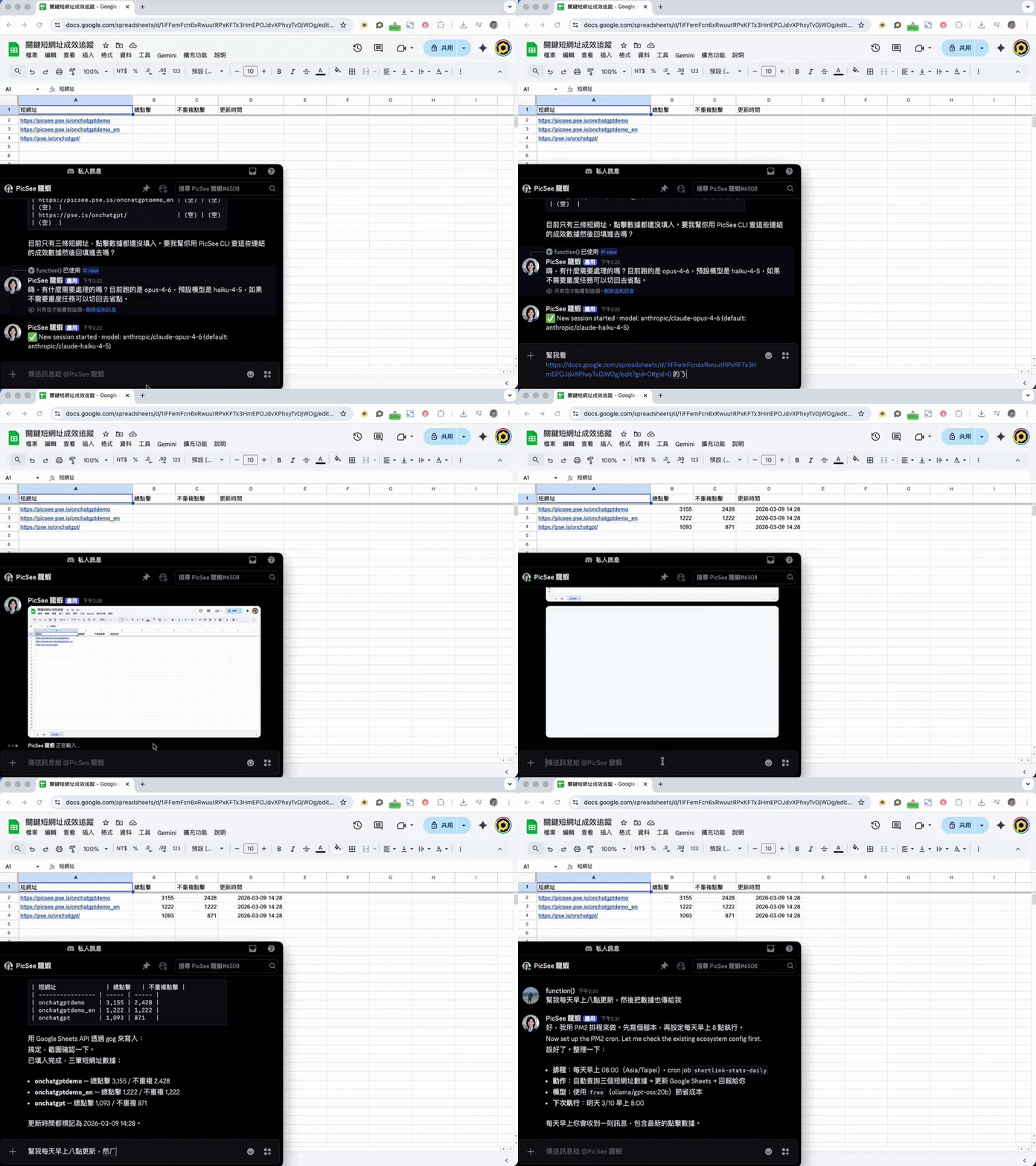
The image below demonstrates using Discord to have OpenClaw update click analytics in a Google Sheet via this skill, with daily automatic updates each morning.
Installation
Conversational Installation
Open your AI agent and enter the following prompt in the chat:Please install this skill: npx @smithery/cli@latest skill add picsee/short-link
Custom Installation via Terminal
If you have additional requirements, you can navigate to your AI agent's skills directory and install the skill from GitHub:# Navigate to the AI agent's skills directory (OpenClaw example) cd ~/.openclaw/workspaces/skills # Clone and install the skill from GitHub git clone https://github.com/PicSeeInc/picsee-short-link && cd picsee-short-link && npm install --no-audit
Verify Installation
After installation, restart your AI agent and send the following message. If it returns a short link, the installation was successful:Shorten https://picsee.io/help/agent-skill
FAQ
- How does it work? We built an MCP Server that lets AI agents interact via a Skill. You can also paste the MCP URL (https://api.picsee.io/mcp) directly to your AI agent and it will start using it right away!
- Can I use it without signing in? Yes, but without signing in you can only create Short Links and generate QR Codes.
- How do I sign in? Simply tell the agent that you want to sign in. The agent will guide you to open an OAuth page, and once you complete sign-in you're ready to use it.
- Is there a usage limit for the API? Yes. For details, please refer to the API overview page. You're also welcome to purchase the Basic or Advanced plan for higher usage and more complete features.
- Can I use a branded short domain to shorten links? Yes, but you must first sign in with an account that owns the branded short domain.
- Can links created by the agent be viewed on the website? Yes. After signing in, you can view them under the "Batch History" tab on the website, where they can also be edited again.