1. Facebook Login Issues
Due to Facebook login instability, we recommend switching to an alternative login method:- If you remember your Facebook login email and it's a @gmail.com address, you can simply log in with Google using the same email. The PicSee system recognizes matching email addresses as the same account.
- If you're unsure about your email or can't see your previous links after logging in with Google, please contact support with your previously shortened URLs, and we'll help you find your login email.
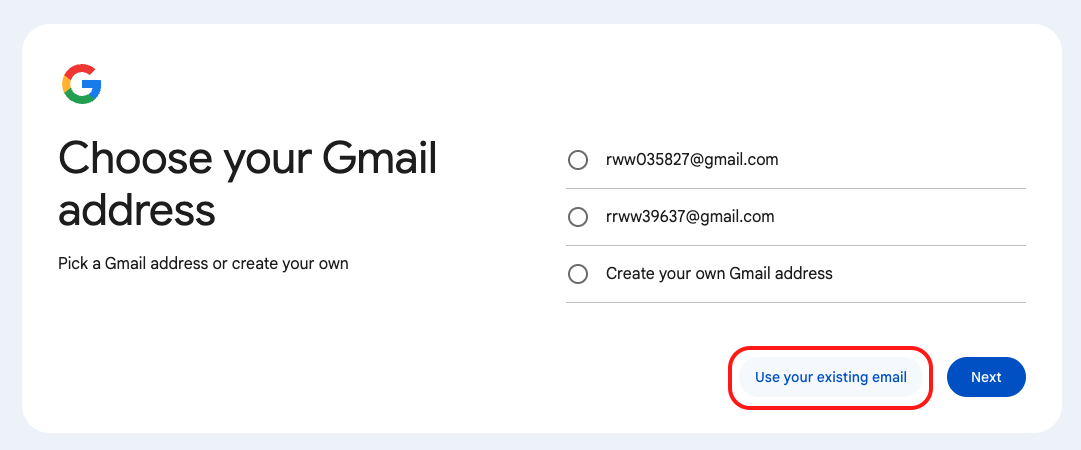
- If your login email isn't Gmail (e.g., @aol.com), you can register a Google account using your AOL email address (registration link). After entering your name and birth date, select "Use your existing email" (as shown below). This account is only for login verification - don't worry about creating an additional email address. Once you've created your Google account, you can log in using your @aol.com email through the Google login option.
- If you prefer not to create a Google account, we can switch your account to email-based login. This requires entering a verification code sent to your email for each login (Note: once switched to email login, you cannot revert to third party login).
2. Email Login and Verification Issues
If you encounter CAPTCHA challenges or "Please try again later" messages, this occurs because our Google reCAPTCHA system may flag browsers without browsing history as potential bots.- Avoid using incognito mode
- Browse other pages before retrying
- Check your spam folder
- Ask your IT department to whitelist service@picsee.vip
- Contact support to update your email address
3. Google Login Issues on Mobile
Google restricts access from browsers it considers "unsafe."When using in-app browsers (Facebook, LINE, etc.), you may see this screen:
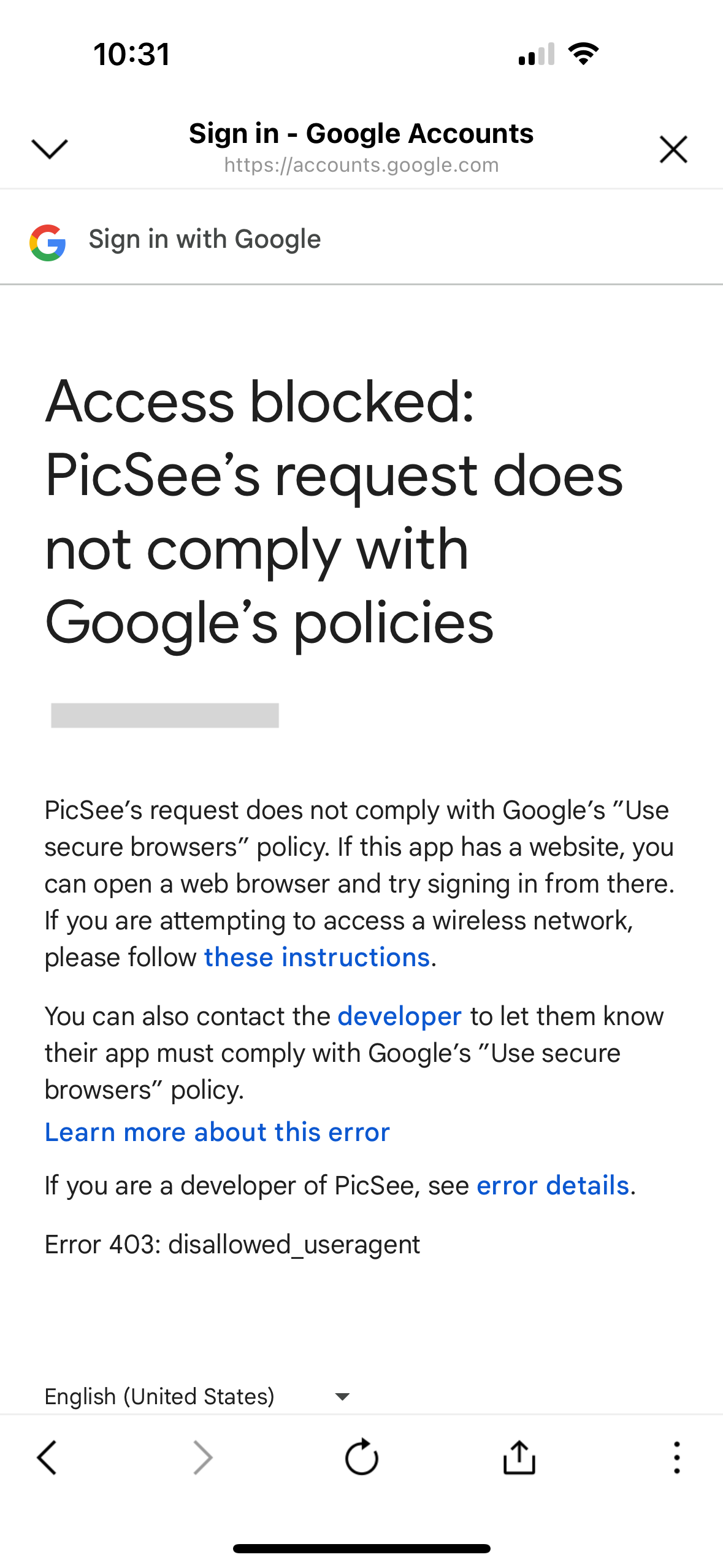
Solution: Use a standard mobile browser like Chrome or Safari instead.
4. Forgotten Login Credentials
Contact our support team with either:- Your PicSee ID
- Any previously shortened URLs